The Ultimate Guide to Selling Canva Templates: Turn Pixels Into Passive Income
Canva skills can become more than a creative hobby. Discover practical ways to earn money by creating planners, ebooks, journals, templates, social media graphics, and other digital products for clients or your own online store.
Affiliate Disclosure: Some of the links in this article are affiliate links. This means that if you click a link and make a purchase, I may earn a small commission at no additional cost to you. I only recommend products and resources that I believe may be useful to our readers. As an Amazon Associate, I earn from qualifying purchases.
Canva has become one of the easiest tools for beginners who want to create professional-looking designs without spending years learning complicated graphic design software. But Canva can be more than a creative tool for personal projects. With the right skills and a little practice, you can use it to create products and services that generate income.
You do not need to be a professional designer to get started. Many Canva-based opportunities involve creating useful, attractive, and easy-to-edit designs for individuals, small businesses, content creators, teachers, coaches, and other customers.
Whether you want to freelance for clients, sell digital downloads, or build a small online business, Canva gives you plenty of options to explore.
1. Create Printable Planners
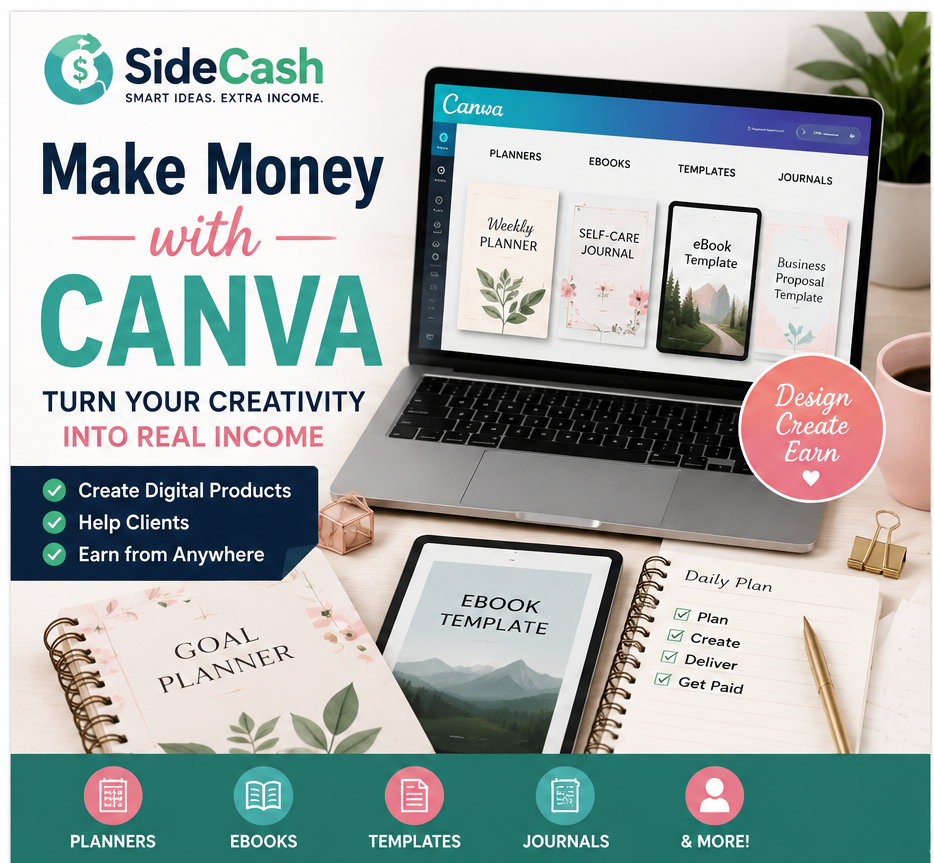
Printable planners are one of the most accessible digital products to create with Canva. You can design daily planners, weekly planners, monthly planners, meal planners, budget planners, fitness planners, study planners, and many other variations.
The key is to create something that solves a specific problem. Instead of making a generic planner, think about a particular audience. For example, you could create a simple weekly planner for busy professionals or a meal-planning worksheet for families.
Once completed, your planner can be offered as a digital download through your own website, marketplace, or other online selling platform.
2. Design Journals and Workbooks
Canva can also be used to create journals, workbooks, trackers, and guided worksheets. These products can combine attractive layouts with practical prompts and exercises.
Examples include gratitude journals, fitness journals, productivity workbooks, goal-setting worksheets, reading journals, and personal development workbooks.
Because these products can be delivered digitally, you can potentially sell the same design repeatedly without having to manufacture or ship a physical product.
3. Offer Ebook Design Services
Authors, coaches, consultants, bloggers, and business owners often need attractive ebooks and downloadable guides. If you become comfortable working with Canva’s layouts, typography, images, and page elements, you can offer ebook formatting and design as a freelance service.
You could help clients turn plain text into a professionally formatted ebook, checklist, guide, or lead magnet.
You can also create your own ebooks around topics you understand and sell them as digital products.
Want to take your Canva skills to the next level? This Beginners’ Guide to Canva is a practical resource for anyone who wants to move from Canva basics to creating more polished graphics, designs, and videos. It covers useful Canva tools, templates, editing features, shortcuts, and tips that you can put into practice as you build your own digital products and creative projects.
4. Sell Editable Templates
Businesses and individuals frequently need templates that save them time. Canva makes it possible to create reusable designs for many different purposes.
Some examples include social media templates, presentation templates, resumes, business proposals, invoices, flyers, media kits, worksheets, checklists, and promotional graphics.
A well-designed template can be especially valuable because customers are not simply buying a pretty design. They are buying a shortcut that allows them to create something professional more quickly.
5. Create Social Media Graphics for Clients
Social media management can involve much more than writing captions. Businesses need graphics for Facebook, Instagram, Pinterest, LinkedIn, TikTok, and other platforms.
If you enjoy creating visual content, you can offer packages that include social media graphics, promotional posts, quote graphics, announcements, carousel designs, or other branded content.
You could work with small businesses that do not have an in-house designer or with creators who need help maintaining a consistent visual style.
6. Design Worksheets and Checklists
Simple resources can also become useful digital products. Checklists, worksheets, trackers, and reference sheets are relatively easy to create in Canva and can be tailored to specific audiences.
For example, you could create a moving checklist, travel planner, cleaning schedule, business launch checklist, study tracker, content calendar, or job-search worksheet.
The more specific the resource, the easier it can be to explain its value to a potential customer.
7. Create Business Documents
Small businesses often need professional-looking documents but may not have the budget to hire a designer for every project.
You can use Canva to create brochures, presentations, menus, price lists, business cards, flyers, proposals, media kits, and other marketing materials.
Building a portfolio that demonstrates several types of business designs can help you attract freelance clients.
8. Invest in a Comfortable Creative Setup
Although Canva works in a browser and does not require an expensive professional workstation, having a reliable computer can make designing much easier.
A computer with a comfortable screen, sufficient memory, a dependable internet connection, and enough storage can help when you are working with multiple designs, images, videos, and browser tabs.
If you are planning to create Canva designs regularly, choosing equipment that fits your budget and workload can be a worthwhile investment.
9. Use Your Smartphone for Content Creation
Your smartphone can also become part of your Canva workflow. Modern phones can be useful for taking product photos, recording short videos, creating social media content, reviewing designs, and managing online projects while you are away from your computer.
You do not necessarily need the most expensive phone available. A reliable device with a good camera, enough storage, and a stable internet connection can be useful for creators and freelancers.
10. Build a Simple Canva Portfolio
Before looking for paying clients, create a small portfolio that demonstrates what you can do.
You do not need dozens of examples. Start with several strong designs that show different skills. You might include a social media graphic, ebook cover, planner page, business flyer, presentation slide, and digital worksheet.
These examples can help potential clients understand your style and the types of projects you can handle.
11. Find Your First Canva Clients
Once you have some examples ready, start looking for people who may need your services.
Freelance marketplaces, social media groups, professional networks, local businesses, and personal connections can all be potential sources of clients.
Rather than simply saying that you “do Canva,” offer a specific service. For example, you might offer five social media graphics, an ebook layout, a printable planner, or a small business flyer package.
A clearly defined service makes it easier for potential customers to understand what you are offering.
12. Create Your Own Digital Product Store
Freelancing is not the only way to make money with Canva. You can also create your own collection of digital products and sell them online.
This approach can take more time in the beginning because you need to research your audience, create products, write listings, market your designs, and handle customer questions. However, it gives you the opportunity to build an asset that you control.
You could eventually create a small collection around one theme rather than trying to sell everything at once.
Choose a Niche Instead of Trying to Serve Everyone
One of the easiest ways to make your Canva business more focused is to choose a specific audience.
For example, instead of creating random templates, you could focus on templates for coaches, real estate professionals, teachers, content creators, small businesses, students, or fitness professionals.
A niche can help you understand what your audience needs and make it easier to create related products and services.
Improve Your Design Skills Over Time
You do not need to master every Canva feature before you start. Focus first on the basics: typography, spacing, alignment, color combinations, hierarchy, and consistency.
Study designs you like and pay attention to why they work. Then recreate similar layouts for practice without copying someone else’s work for commercial use.
The more you practice, the faster you will become at turning an idea into a polished design.
Ways You Can Earn With Canva
There are several potential income models you can explore as your skills improve:
- Freelance Canva design services
- Printable planners and worksheets
- Digital journals and workbooks
- Ebook formatting and design
- Editable templates
- Social media graphics
- Business marketing materials
- Digital downloads
- Custom designs for clients
You can start with one method and eventually add others. For example, someone who begins by designing social media graphics for clients might eventually create social media templates and sell them as digital products.
Start Small and Build From There
Making money with Canva does not have to begin with a huge business plan or an expensive investment. Start by learning the platform, practicing regularly, and creating a few useful designs.
Once you feel comfortable, choose whether you want to focus on freelancing, digital products, or a combination of both.
The biggest advantage is that the skills you develop can be used in many different ways. A single Canva skill can help you create products, support clients, build content, and eventually develop your own online income stream.
Instead of waiting until you consider yourself an expert, start with one simple project. Improve it, learn from the process, and gradually build your collection of skills and products.